Three days with a coding agent
Every prompt, decision, detour and mistake of an AI coding session, laid out on one timeline.
A product owner and a team of coding agents spend three days building a feature. Afterwards there is a transcript of walls of text, a git history and a feeling that it took longer than it should. This knowledge graph turns all of it into one picture you can walk through: what was asked, what the agents answered, who decided what, where the time went and who caught what went wrong.
A session you can look at, not scroll through
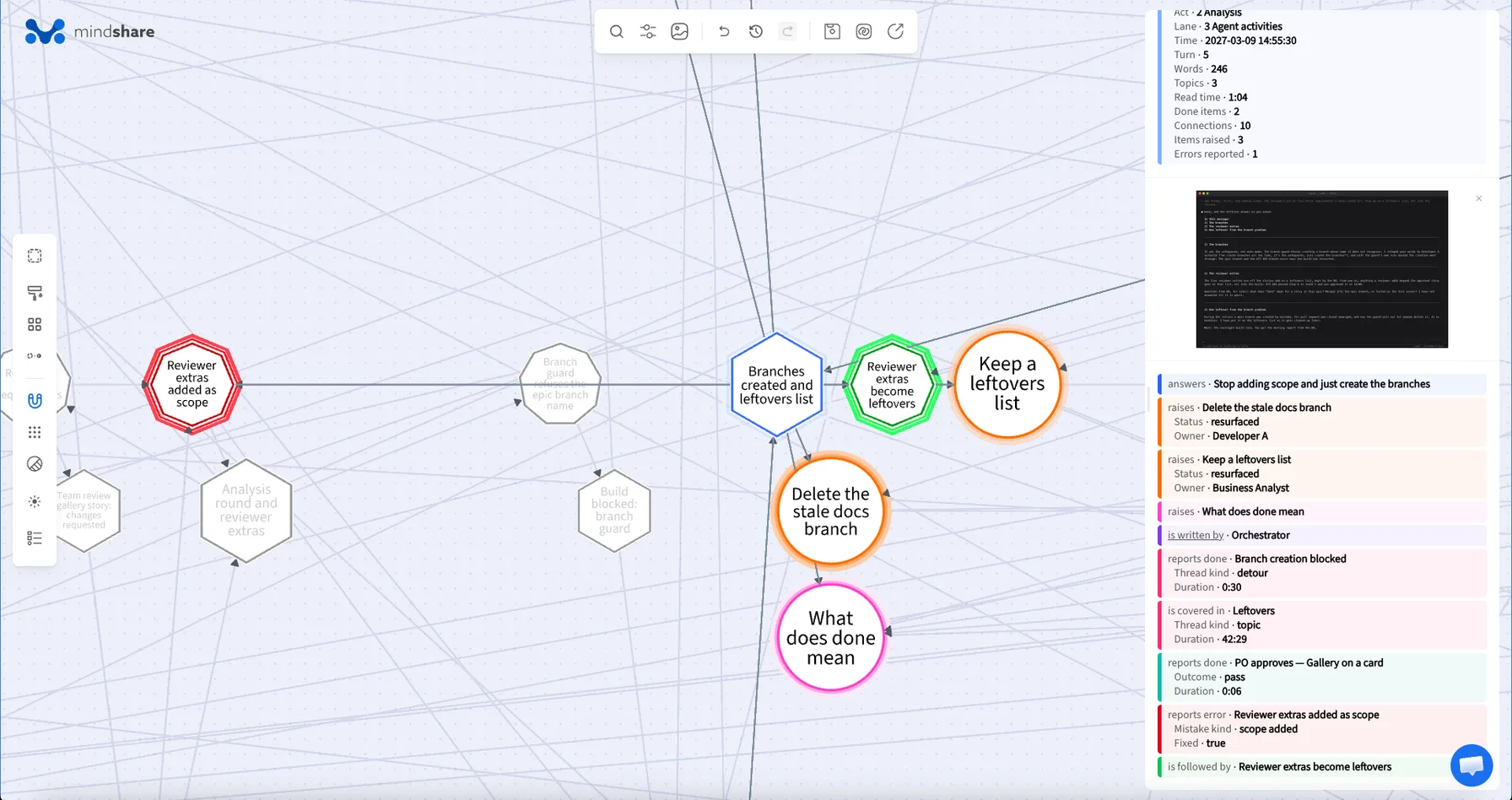
An agent session is easy to start and hard to review. The answers arrive as long replies that mix five topics at once, decisions get settled in a one-line answer, a blocked step quietly turns into a two-hour detour, and the commits tell only the end of the story. Put every prompt, reply, decision, mistake and commit on a timeline, connect each one to what caused it and what it led to, and the session becomes something a team can look at together.
Four questions this knowledge graph answers
Who decided what?
Every decision records the options, the agent's recommendation and what was chosen. All 19 were taken by the product owner, who followed the agent's recommendation 13 times and overrode it 6 times. Narrow the map to decisions where the recommendation was not followed and they line up: all common picture formats now instead of PNG and JPEG first, accept the gallery story as it is instead of a third QA round, and the agents fixing their own set-up instead of handing a blocked review back to the product owner.
Where did the time go?
Work that ran over time is drawn as boxes as wide as it lasted, and every detour is a box of its own, connected to the steps it interrupted. Four top-level detours took 7 hours 15 minutes, about 14 % of the session's 51 hours. The longest, Security review blocked, cost two hours and eight steps, with a nested clean-up inside it. Decision-list warning, and the permission-rule warnings nested inside it, were fixed only after the problem came back.
Who caught the mistakes?
The map holds 18 mistakes, each with its kind, its severity, who caught it and how many turns it took to fix. The product owner caught 15 of them and the agents 3. The most common kinds are telling: work handed back to the user, work reported done without being checked, and something misread, by an agent or by the product owner. All but one were fixed, and 14 led to a correction, usually a new rule for the agents, that you can follow to see whether it held.
Did the estimates hold?
Each story carries its estimate and the hours its runs actually took. Gallery on a card was estimated at 3.5 hours and took 7.8. Upload a picture took 5.5 hours against 4, while the admin never-used list came in under, at 2 hours against 3. Two stories were filed during the session and left for later.
How to read the knowledge graph
-
Read it left to right
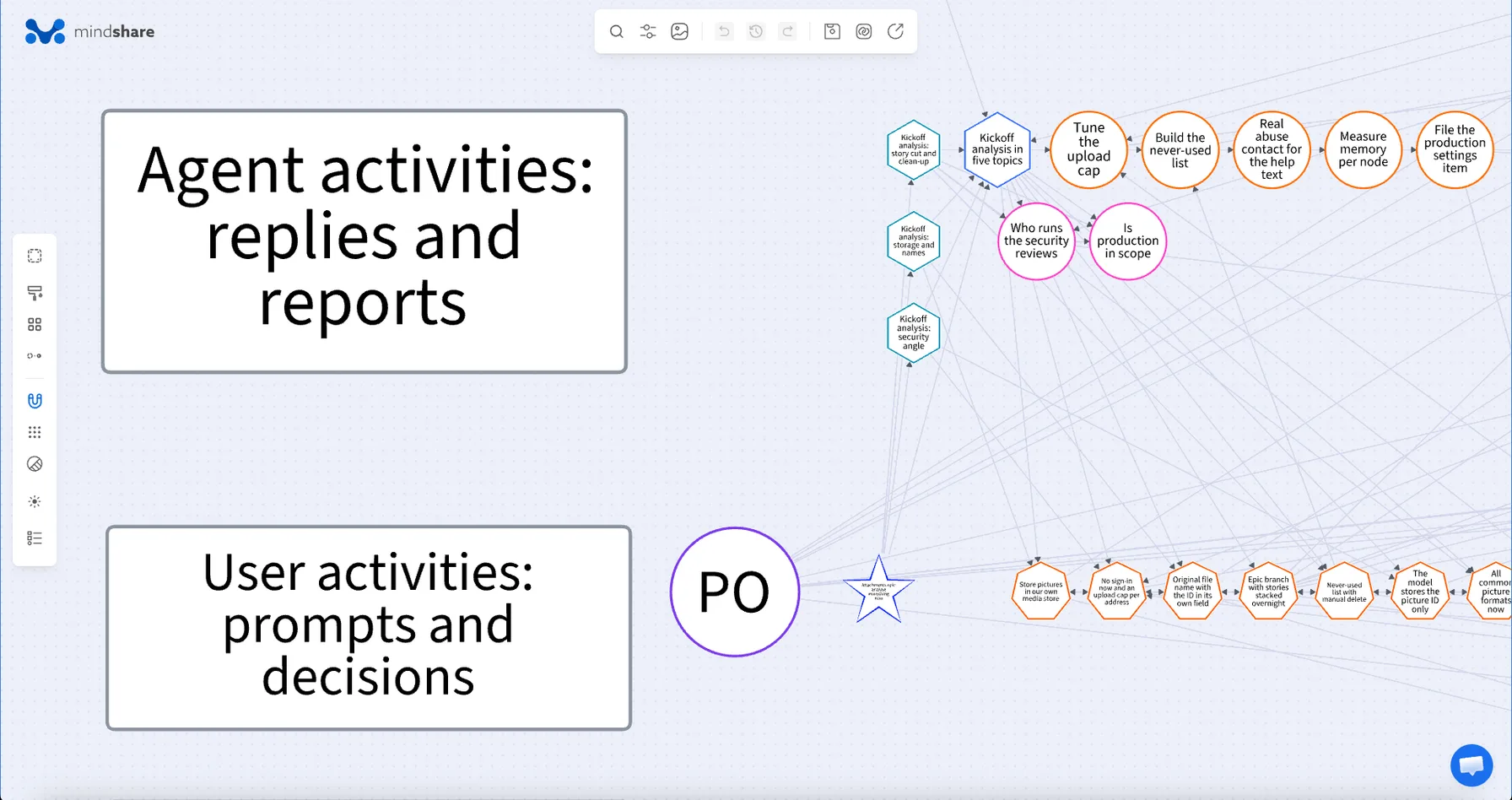
Time runs from left to right across the three days, with the nights squeezed short. The map is laid out in four lanes: boxes for work that took time (detours, step runs and stories), the commits and other deliverables, what the agents did, and what the product owner did. The product owner's prompts are stars; the agents' replies are hexagons.
-
Start with the first prompt
Click the first star, Attachments epic: analyse everything now, dictated by voice. It is answered by Kickoff analysis in five topics: 1,367 words, about a six-minute read, with a picture of the reply as the wall of text it was. From that one reply, follow its connections to the 7 decisions, 5 action points and 2 questions it raised.
-
Follow a decision
Open All common picture formats now. The detail panel shows the two options, the agent's recommendation (PNG and JPEG now) and the choice (all common formats now). Its connections lead to the prompt where it was settled, Shorthand answers to seven decisions, to the agent that raised it and to the story it led to, Upload hardening.
-
Follow a mistake to its fix
Open Security review handed to the PO, a high-severity mistake. It is one step of the Security review blocked detour. It was caught in the prompt A subagent must run the review, corrected by A subagent runs the security review, and followed by the commit that changed the set-up. One turn to fix, and every step of it on the map.
-
Look up an agent
Each agent is a single node with its role, whether it writes code, how many runs it did and how many commits it made. Developer A made 16 commits in 9 runs; Developer B, the reviewer, ran 15 times.
Map a session of your own
The same structure works for any stretch of work with an agent or a team: a sprint, an incident, a release. Decide which events you want to see (prompts, decisions, mistakes, commits), give each a time and the few properties you want to compare by, and connect each event to what caused it and what it led to. Import the result from Excel or JSON; the metadata format shows how to write it down.